


Table of Contents
In this article, we will learn How to Download MEGA files without Limits or MEGA bandwidth exceed error. MEGA imposes a limit on daily downloads of 5GB. However, you can download files from MEGA without restrictions. See how to do it for free in 2024.
NOTE: Method #3 was tested on 1st Januard 2024.

MEGA.nz offers fast downloads, but the daily download limit has been introduced. A user using a free account can only download 5GB a day. The “Excess bandwidth” message will appear when the limit is reached, which means we have exceeded the daily download limit. So here is how to fix and Download MEGA files without Limits or fix MEGA bandwidth exceed error.
The solution is to wait for the limit to be updated, or … to get around it- Download MEGA files without Limits. There is a way to download files from MEGA without any restrictions. All you have to do is use the MEGA Downloader program, a download manager for the MEGA website. See how to do it.
Method 1: Signup for Mega.NZ Paid Subscription
We would highly recommend using a paid plan from Mega.NZ. This not only helps the developer, but ethically it is the right thing to do.
You can get exclusive discounts here.
Method 2: Download MEGA files without limits using Mega Downloader
The first step is to download the MEGA Downloader program. You can download the Mega Download from the links below.
Download Internet Download Manager (IDM) or Xtreme Download Manager
Working with IDM was last tested on 03rd October 2023
Once you’ve downloaded the archive, unpack it anywhere and run the MEGA Downloader program. Once you start, you must accept MEGA service rules by clicking “Yes. Then there’s the program configuration window, where you can, for example, set up data for your MEGA account to download your files in the cloud faster.

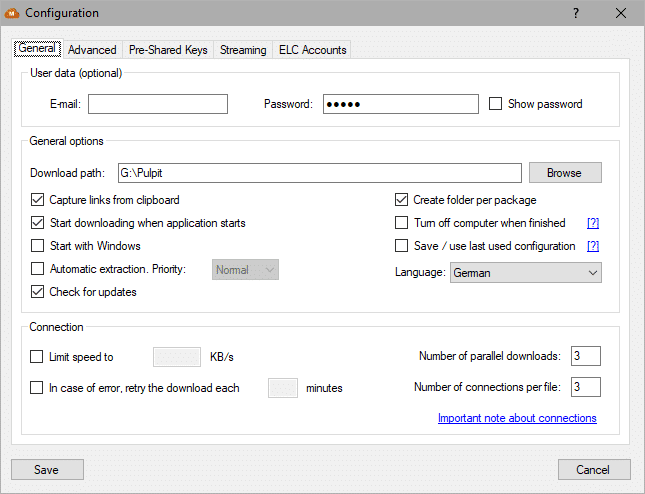
You can also select the folder in which the files should be stored (the “Download Path” field). By default, the program uploads files to your desktop. Once you’ve set up your settings, you can close the window with the Save button.
Step by Step guide:
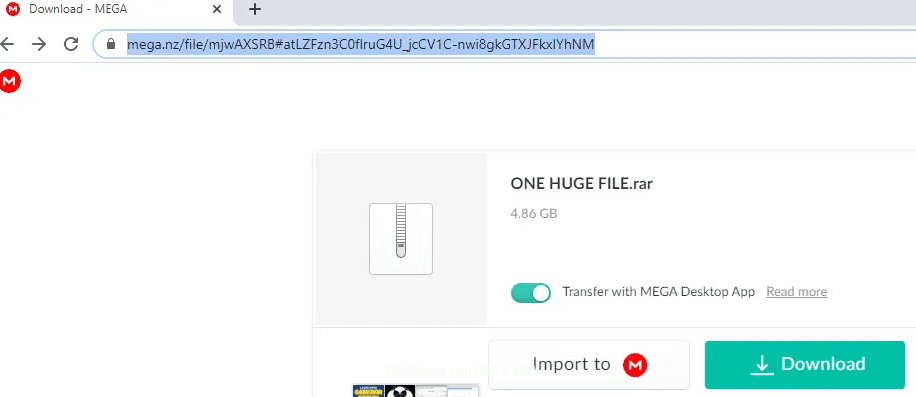
Step 1. Copy the link (address) to the clipboard.

Step 2. Click Configuration window.
Step 3. Go to the Streaming tab
Step 4. Tick the following option ‘Use streaming server‘
Step 5. Then click on Save, and the window will close.

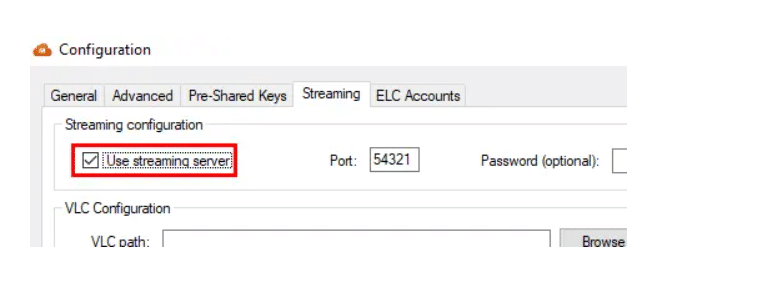
Step 6. Go to the main window of Mega Downloader
Step 7. Go to the Streaming menu
Step 8. Select ‘Watch online.‘

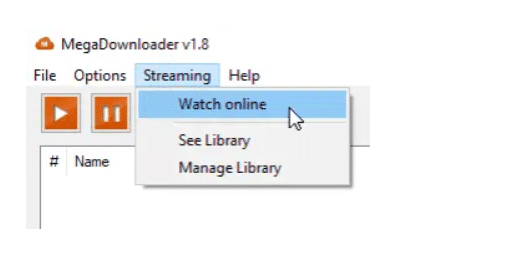
Step 9. PASTE the file address (from clipboard) from Mega into the ‘MEGA URL Link‘.
Step 10. Wait for the Streaming URL link to generate.
Step 11. Copy the new Streaming URL link.

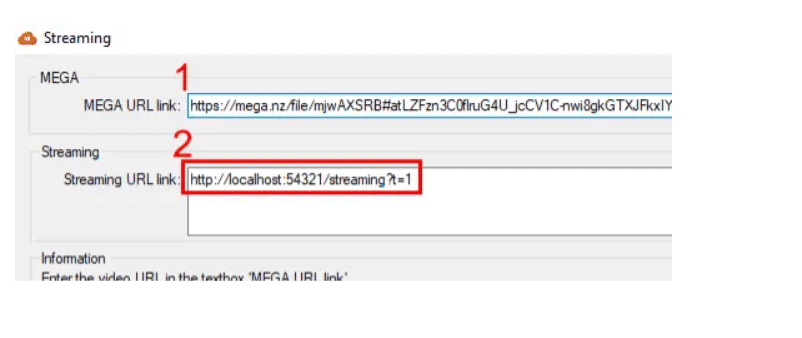
Step 12. Open Xtreme Download Manager application. You can use any download manager like IDM as well.
Step 13. Click File menu.
Step 14. Select ‘Add URL’ option.

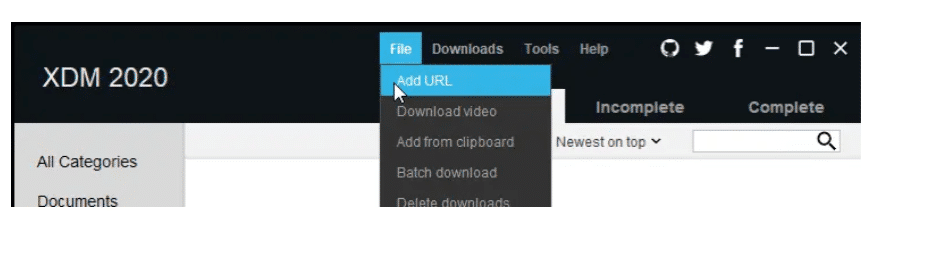
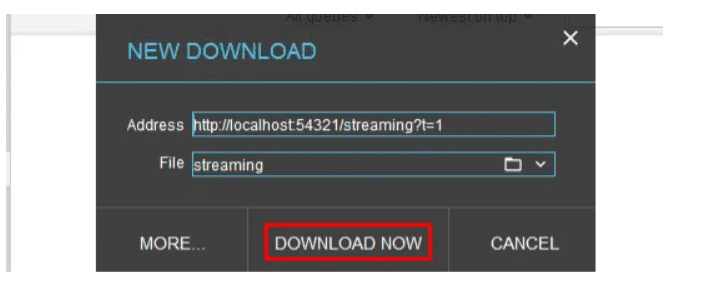
Step 15. Xtreme Download Manager may automatically paste the address we copied into the Address field. You can also manually paste the URL by right-clicking in the address bar and pasting it.
Step 16. Click on DOWNLOAD NOW, and your file will begin to download.

Here is a complete video tutorial of this method:

Method 3: Bypass Daily Mega Download Restrictions using MegaBasterd
Step 1: Download the latest java version. You can directly download Java from here.
Step 2: Download MegaBasterd – Mega Downloader from Github. This program works on MAC, Windows, and Linux. Depending upon your OS, you can download the executable file.
Step 3: Extract the files using tools like WinRar, 7Zip.
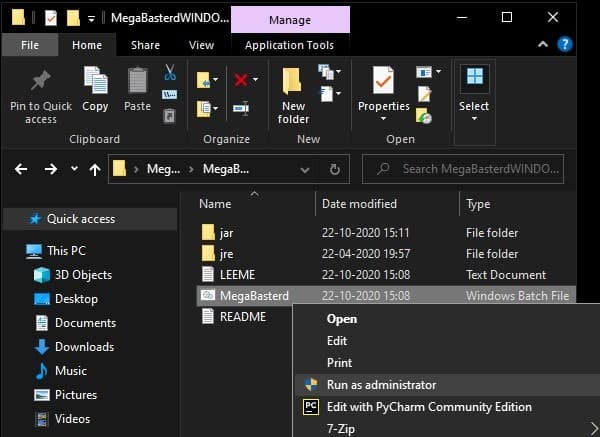
Step 4: Open the extracted folder, and right-click on the “MegaBasterd” batch file. Click- Run as an administrator.

Step 5: If it asks you to create an API key, click NO.
Step 6: Set your download folder to any desired location.

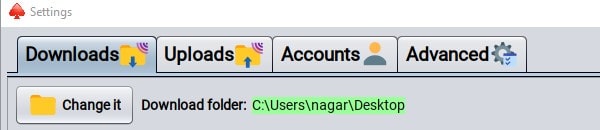
Step 7: Look for “Use SmartProxy” and enable it.
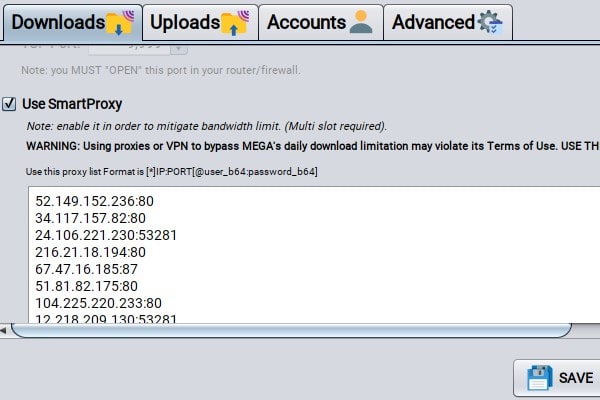
Step 8: Look for free USA proxies. Here are some of the sites that you can use- Free Proxy List – IPRoyal.com, US Proxy List – Free Proxy List (us-proxy.org), United States proxy servers (free-proxy.cz), 🤖Free Proxy List [5,681 Proxies Online] (geonode.com)
Step 9: Copy-paste the proxy list with a port in the following format and click save.



Step 10: Now close the settings tab. Copy your mega file/folder link that you want to download. Click on file > New Download and paste the link here.

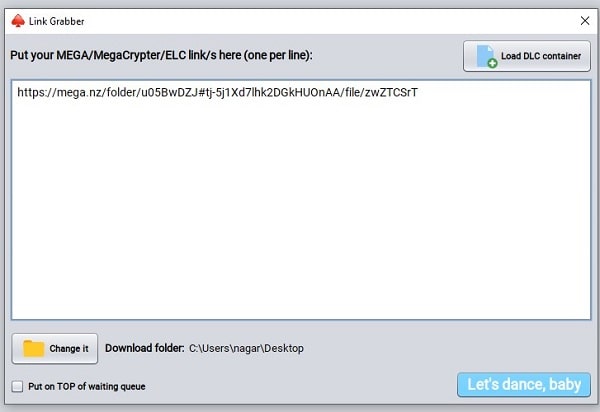
Step 11: Click Let’s dance, baby. Now you will see the following results.
If nothing happens do this- (SUGGESTED BY A USER)
Removing a portion of the link that says /folder/… Or /files/… If you remove this whole portion including /folder/… Or /files/… from usually end part of the link then it works fine.

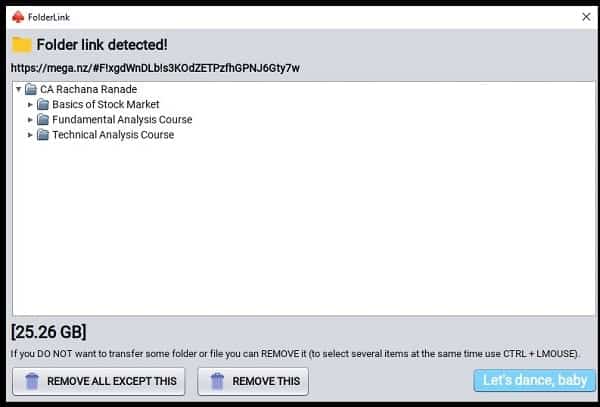
Step 12: Select the files that you want to download and click the Let’s dance, baby button again. NOTE: You can also remove the files that you do not wish to download.
Your downloading might pause in between but, do not worry. It will take some time and your files will be downloaded.
Method 4: Using VPN
There used to be a few apps that could be used to bypass Mega’s download restriction seamlessly, but it looks like the service has closed any loophole they’ve exploited. I tried a few tools when I hit the download limit the other day, but none of them could get anything from Mega.

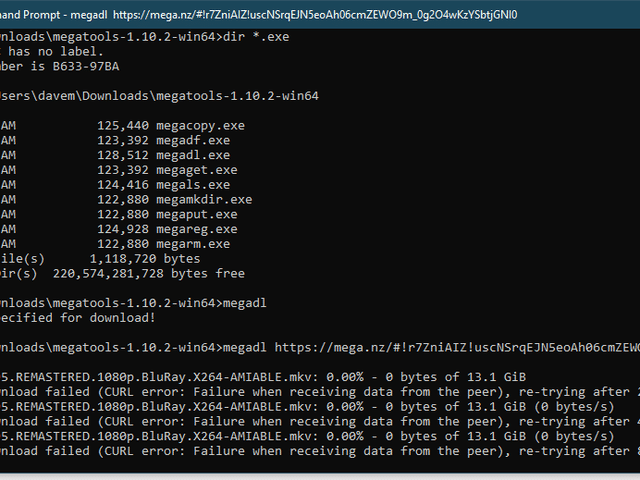
Alas, even the command-line application “megatools” could not bypass Mega’s download restrictions.
What really worked was using a VPN to get a new IP address. Once I do, I pay for NordVPN (get an exclusive discount for techrechard readers), which makes it easier to continue downloading from Mega without a problem.
However, this trick with free VPN services has a few warnings. First, you probably won’t want to use a free VPN. If you’re so keen on downloading, then paying for a VPN service that doesn’t track and record everything you do – or uses any other nefarious tactic while you’re using it – costs a few dollars a month, it will cost you. You’re also less likely to be limited to the VPN you pay for than the free one because using a VPN that slows down or limits download speeds to get around Mega’s limitations seems counterintuitive.
The NordVPN app makes selecting a VPN server from different locations easy.
Conclusion: How to Download MEGA Files without Limits in 2024
I hope these 3 methods on How to Download MEGA files without Limits or fix MEGA bandwidth exceed error were easy for you. These methods might not work for everyone, but you can try each. You can also check the video below.